04 Sources & trust · Split request/response approval
Two approvals for one fetch: going out, and coming back in
Visual Studio Code (Copilot agent) · IDE
The insight
Split consent where risk changes direction: contacting a site risks data going out; using its reply risks instructions coming in.
Documented
from the sourceVisible in the image: A 'Fetch web page?' prompt shows the full URL and an inline warning: 'Web content may contain malicious code or attempt prompt injection attacks.' The primary button is 'Allow and Review'. Its menu offers 'Allow and Skip Reviewing Result', then scopes: the exact path, the domain, or 'Allow requests to…'.
- Approval is split into two steps: contacting the URL (request) and adding the fetched content to chat (response).“VS Code separates approval into two decisions” — URL approval section
- Request approval prevents data from being sent to an untrusted site; response approval helps prevent prompt injection.“Prevents data from being sent to an untrusted site. … Helps prevent prompt injection from untrusted content.” — URL approval table
- Approving a request does not approve its response. Trusted Domains skip request approval, but their responses still need review unless you separately auto-approve responses for that domain.“Approving a request does not approve its response. … A trusted domain does not require request approval, but its response still requires review unless you separately auto-approve responses for that domain.” — URL approval section
- Auto-approval can be set separately per direction with approveRequest and approveResponse.“use approveRequest and approveResponse to control them separately” — URL approval section
- Introduced in VS Code 1.107 (release date December 10, 2025).“the new two-step approval experience” — 1.107 release notes, 'URL and domain auto approval'
Our read
design interpretationWhy it works
Each prompt protects against one specific harm, so the user can judge it. The warning names the threat in the dialog itself, and the default label 'Allow and Review' keeps a person looking at what comes back.
Trade-off
One fetch can mean two prompts, and skipping the review is one menu item away. Under fatigue that may become the habit, and spotting injected instructions in raw web content is hard for people anyway.
Steal this
- Put the threat in the prompt's own words, not in a help page.
- Let auto-approval be tuned per direction, not all-or-nothing.
- Offer scopes from exact path up to domain, narrowest first.
Source
VS Code docs: Manage approvals and permissions; VS Code 1.107 release notes
2026-10-15 · Accessed; feature introduced in 1.107 (Dec 10, 2025)
History
2 documented changes, each with a source. See the timeline →
More entries
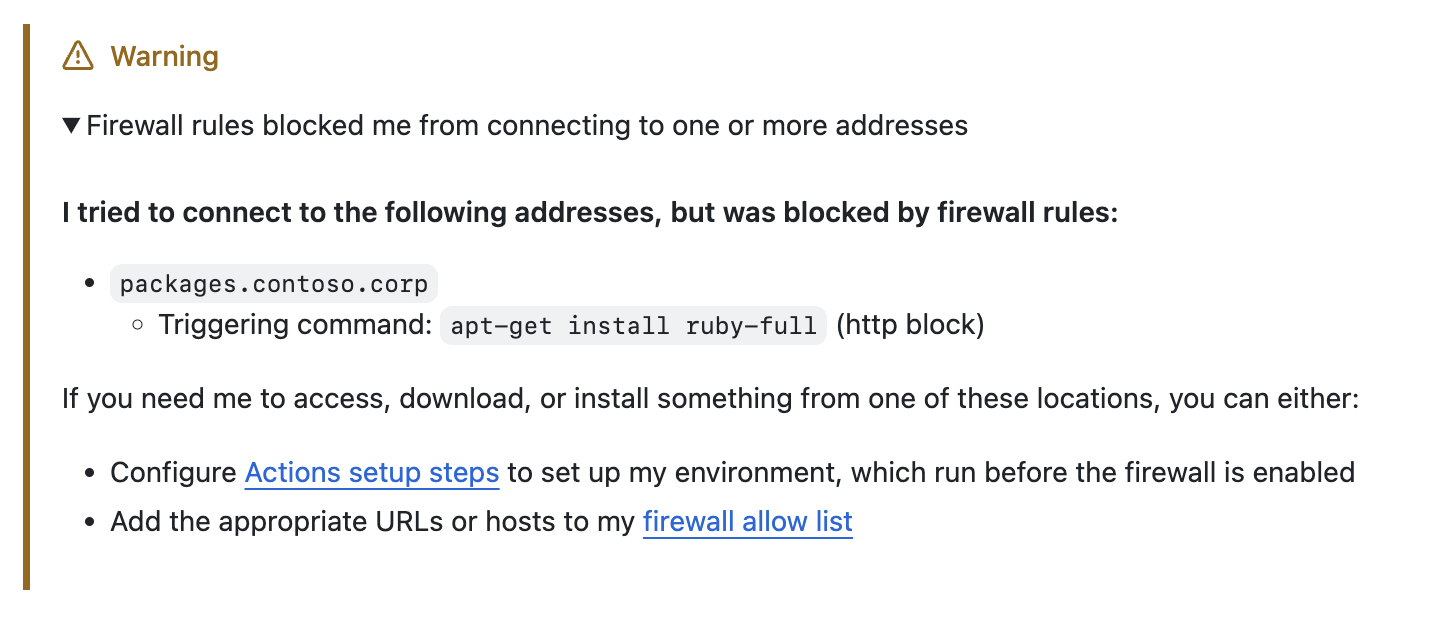
When the agent is blocked, it says what, why, and how to unblock it
Report a blocked action as a receipt (what was blocked, which command, the two narrowest ways forward) so a security control reads as a next step, not a failure.
Blocked-action explanation
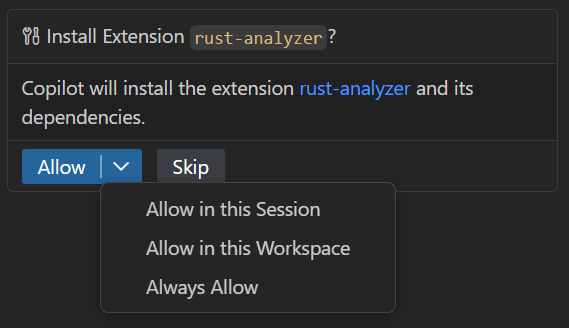
Allow once is the big button; wider trust sits one click deeper
A split button can hold a whole permission ladder while making only the narrowest rung the reflex click.
Split-button approval
Agent wants to edit 2 files
src/components/Button.tsx
Ask for permission by place, not by time
Scoping trust to where a change lands, not how long trust lasts, turns a recurring interruption into a single, legible decision.
Pre-execution approval